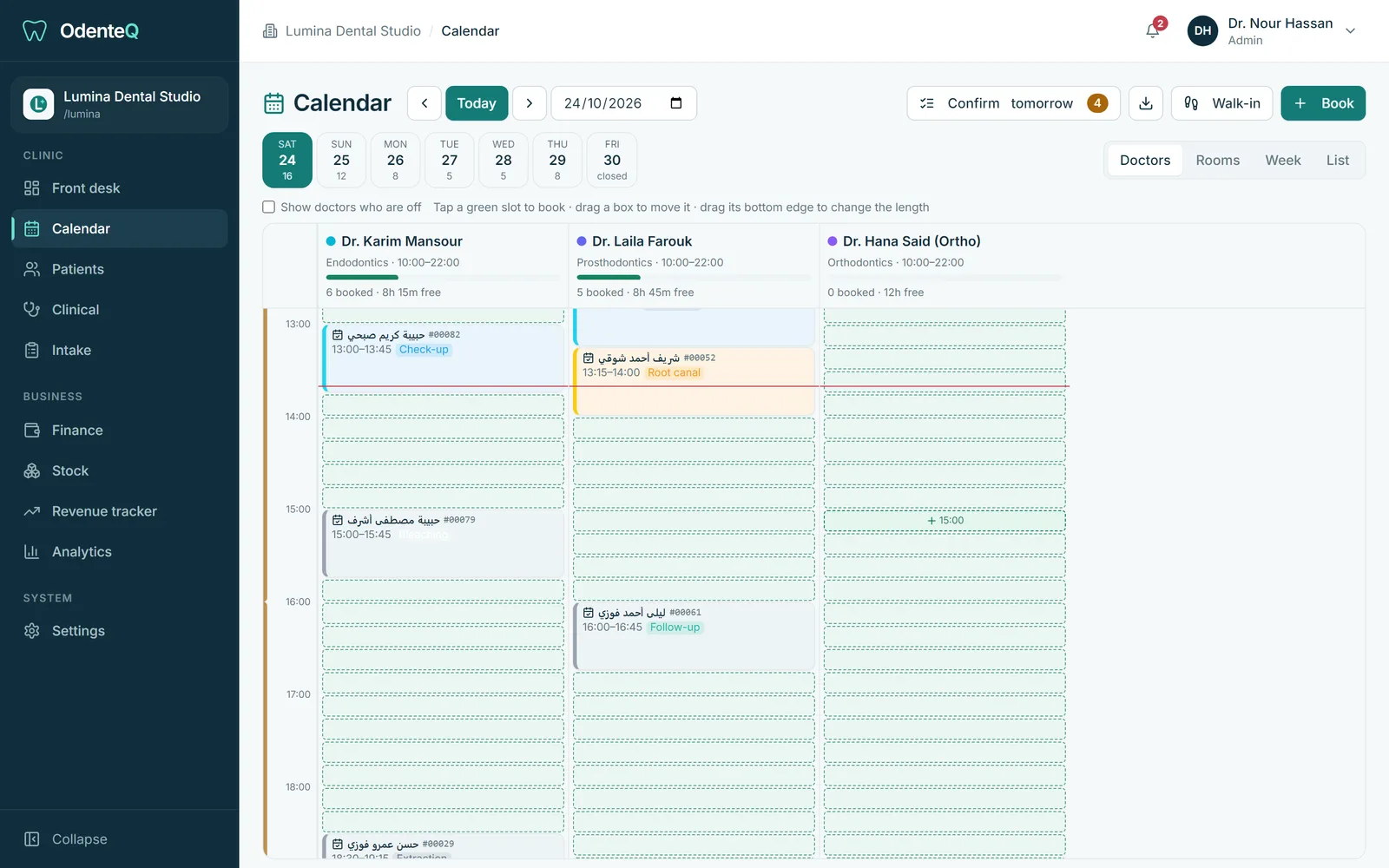
See the whole day at a glance
Each doctor who works that day gets a column. The header shows their hours and how full they are, for example "9 booked, 4 free, 70%". Free time is shaded. Click it and the booking opens with the doctor and time already filled in.
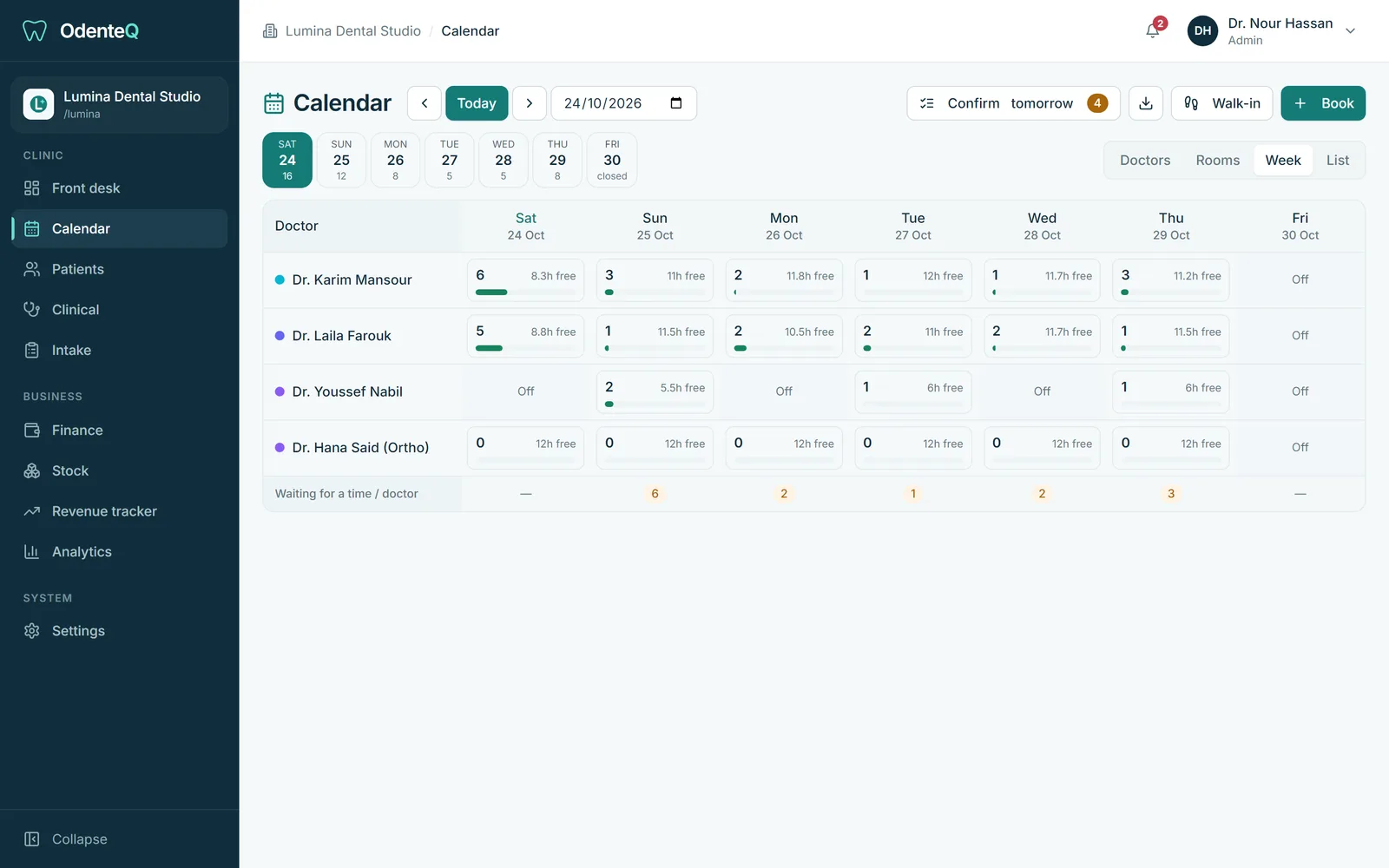
Switch to Rooms to see one column per chair, to Week to see every doctor across the week, or to List when you are calling patients one by one.
Book in a few taps
Choose the visit reason. The length is set for you (a check-up is shorter than a root canal) and you can still change it. Pick a doctor or leave it on Any doctor. OdenteQ shows the free times and the next free slot.
Many patients in Egypt say "any time in the evening" instead of an exact hour. OdenteQ handles that too. Book them as Preference: Late and fix the exact time later. The clinic sees how much space is left in each part of the day.
Move appointments without mistakes
Drag an appointment to another time or another doctor. If the time is taken, it turns red before you drop it. Drag the bottom edge to make a visit longer. Every change can be undone.
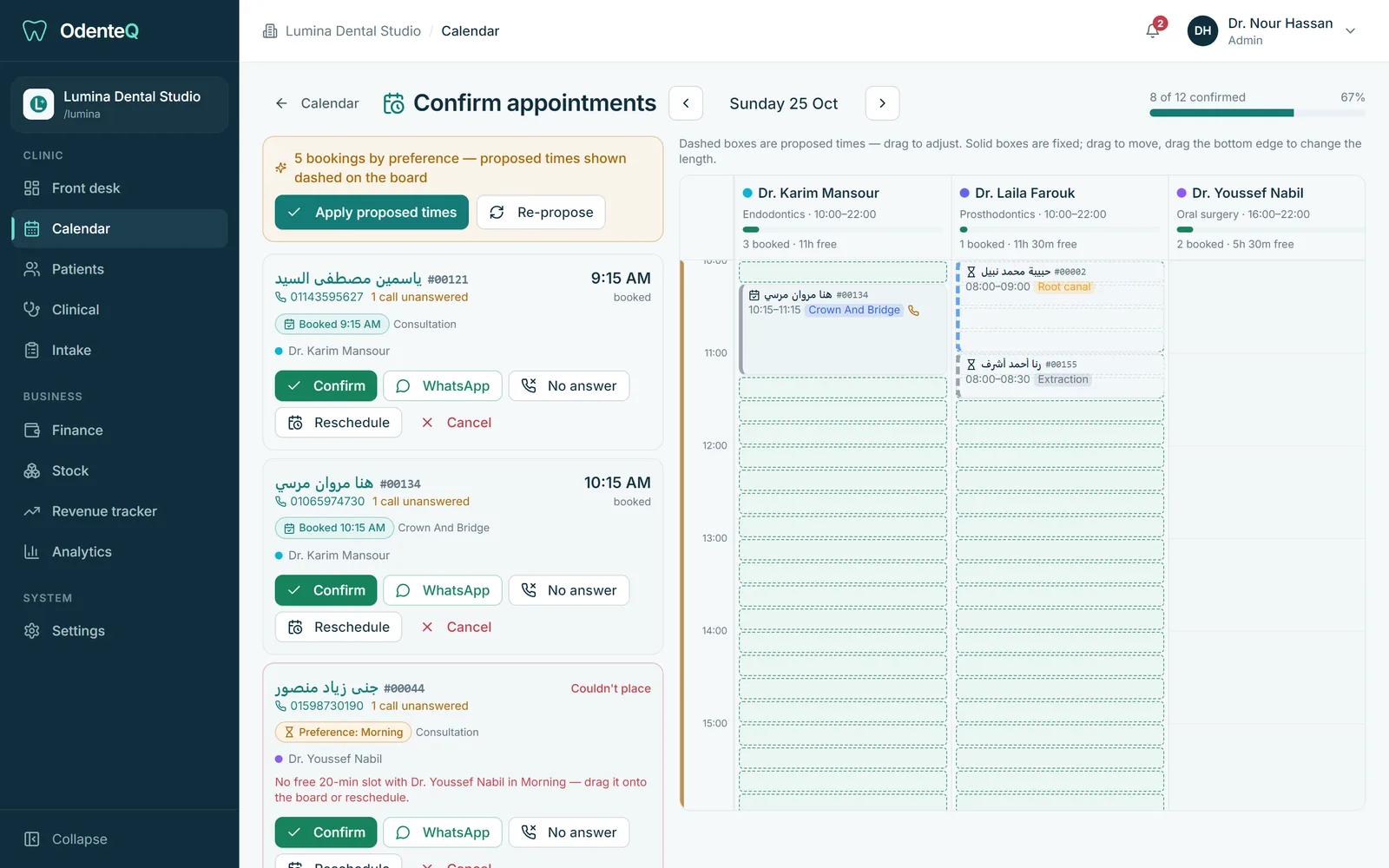
Confirm tomorrow’s patients on WhatsApp
The day before, reception opens Confirm tomorrow. Every patient is a card with a call button and a WhatsApp button that opens a ready message in the patient’s language. One tap marks them as confirmed, no answer, rescheduled or cancelled. A progress bar shows how many are left. A reminder appears at the time you choose if the list is not done.
No-shows are marked for you
If a patient does not come within the grace time you set (30 minutes by default), the appointment is marked as a no-show automatically. Reception can rebook them in one tap, and the reports show your no-show rate per doctor.
Settings that fit your clinic
Opening hours per clinic, per doctor and per room, holidays and days off, visit reasons with their usual length, and your own WhatsApp message templates in Arabic and English.