Charting in a few taps
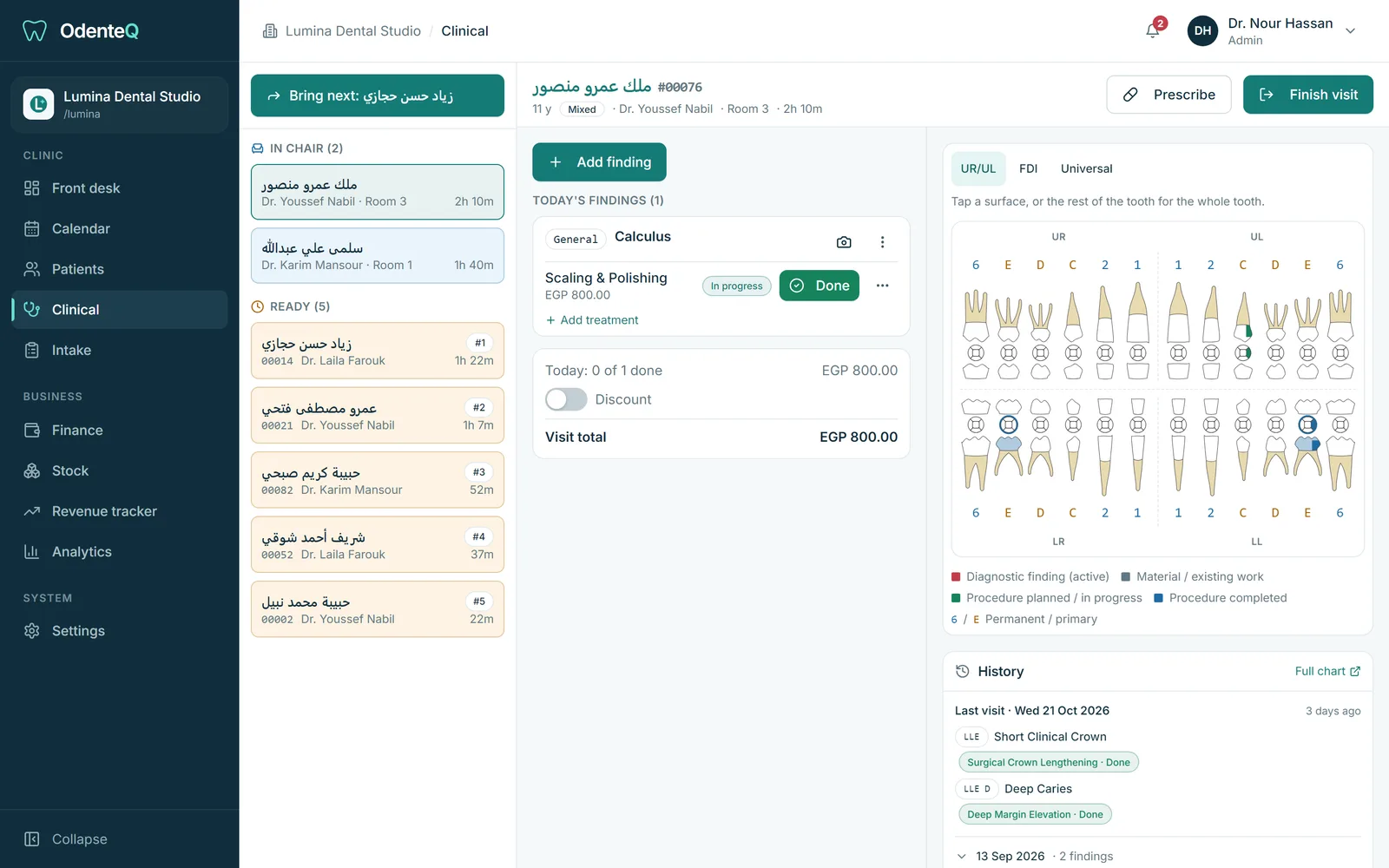
Open Add finding. Pick one or more teeth on a tooth keypad laid out the way a dentist sees the mouth. Add surfaces (for example MOD), then the diagnosis. Your most used diagnoses appear as chips, and you can search in English, Arabic or by code. Choose the treatments: the usual one is already ticked and each has its own price and lab. Mark it for Today or the Next visit, attach an X-ray or a note, and save.
Assistant and doctor together
The assistant can chart on a phone at the chair while the doctor works. Their findings show as Awaiting doctor until the doctor confirms them, one by one or all at once. The doctor’s PC and the assistant’s phone stay in sync live.
Treatment plans that carry over
Anything not finished today moves to the next visit by itself, with its original date. When the doctor finishes the visit and treatment is still planned, they choose when the patient should come back (in a few days, in a month, a 6-month recall) and reception sees it at once.
Tooth conditions
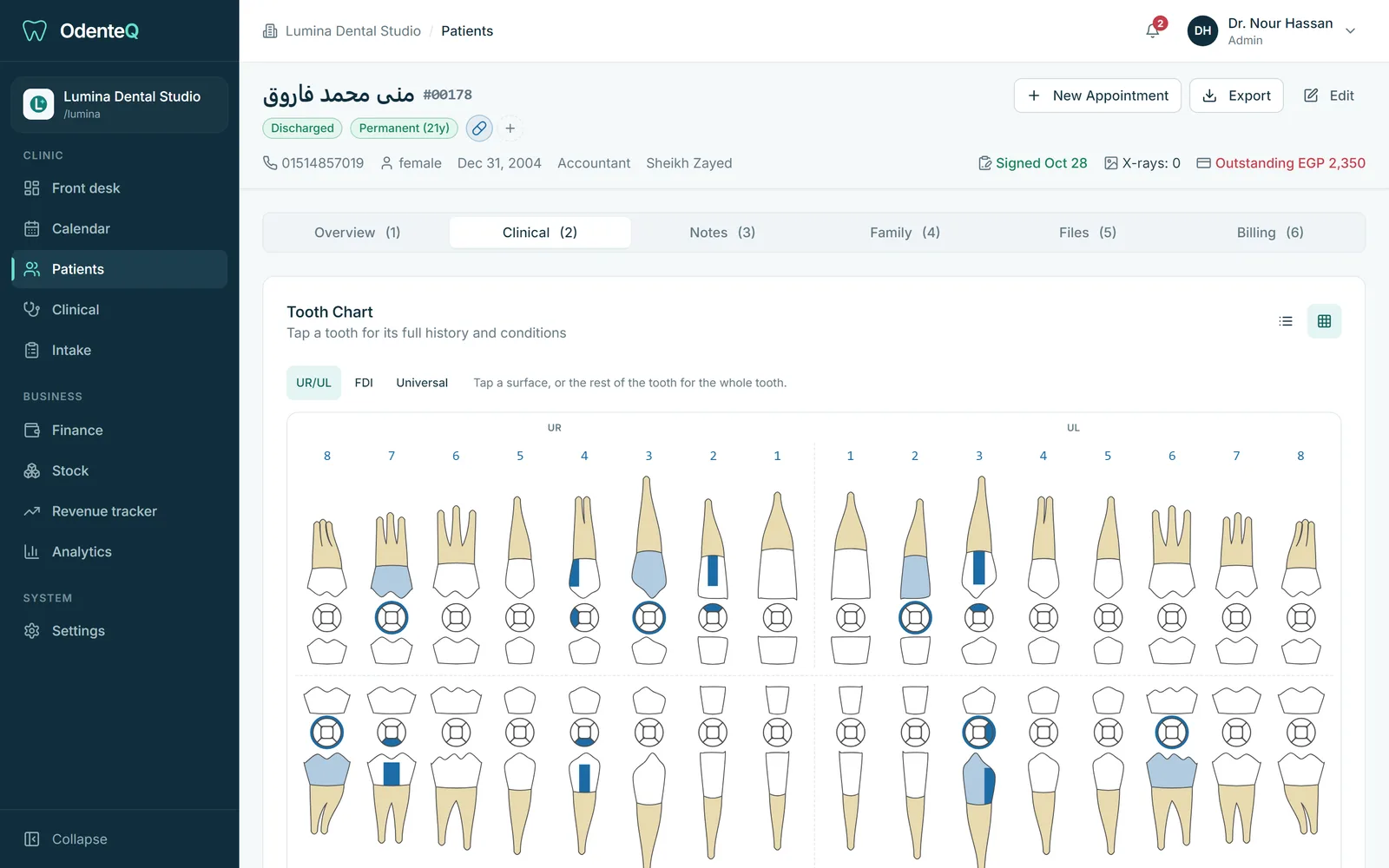
Record what is true for each tooth: missing, extracted, impacted, implant, crown, root canal treated, fractured, mobile and more. The chart fades missing teeth and warns you if you try to chart on one. A completed crown can mark the tooth as crowned automatically.
Prescriptions from the visit
Your clinic’s medicine list has default directions per treatment, in Arabic and English. Press Prescribe and the medicines for today’s treatments are already ticked. OdenteQ warns you when a medicine matches the patient’s allergies. The prescription is numbered, printed and saved in the patient file.
Numbering and catalog
FDI or Universal numbering. Your own list of diagnoses and treatments with Arabic and English names, codes, prices, colours on the chart and default lab fees.